Choose a dash cam by the footage you need to recover: a clear front view, a separate rear view if wanted, reliable recording and a straightforward way to save the original files. Check the complete installed cost, memory-card requirements and parking-mode power supply before buying. A camera must not obstruct your view or distract you, and business use brings additional privacy duties.

A high resolution label cannot tell you whether a particular camera will capture a readable number plate on your dark commute. This guide gives you a buying and ownership checklist, based on manufacturer instructions and official UK guidance. We have not road-tested or ranked the products mentioned; named manuals illustrate differences you should check on your shortlist.
Choose the views you actually need
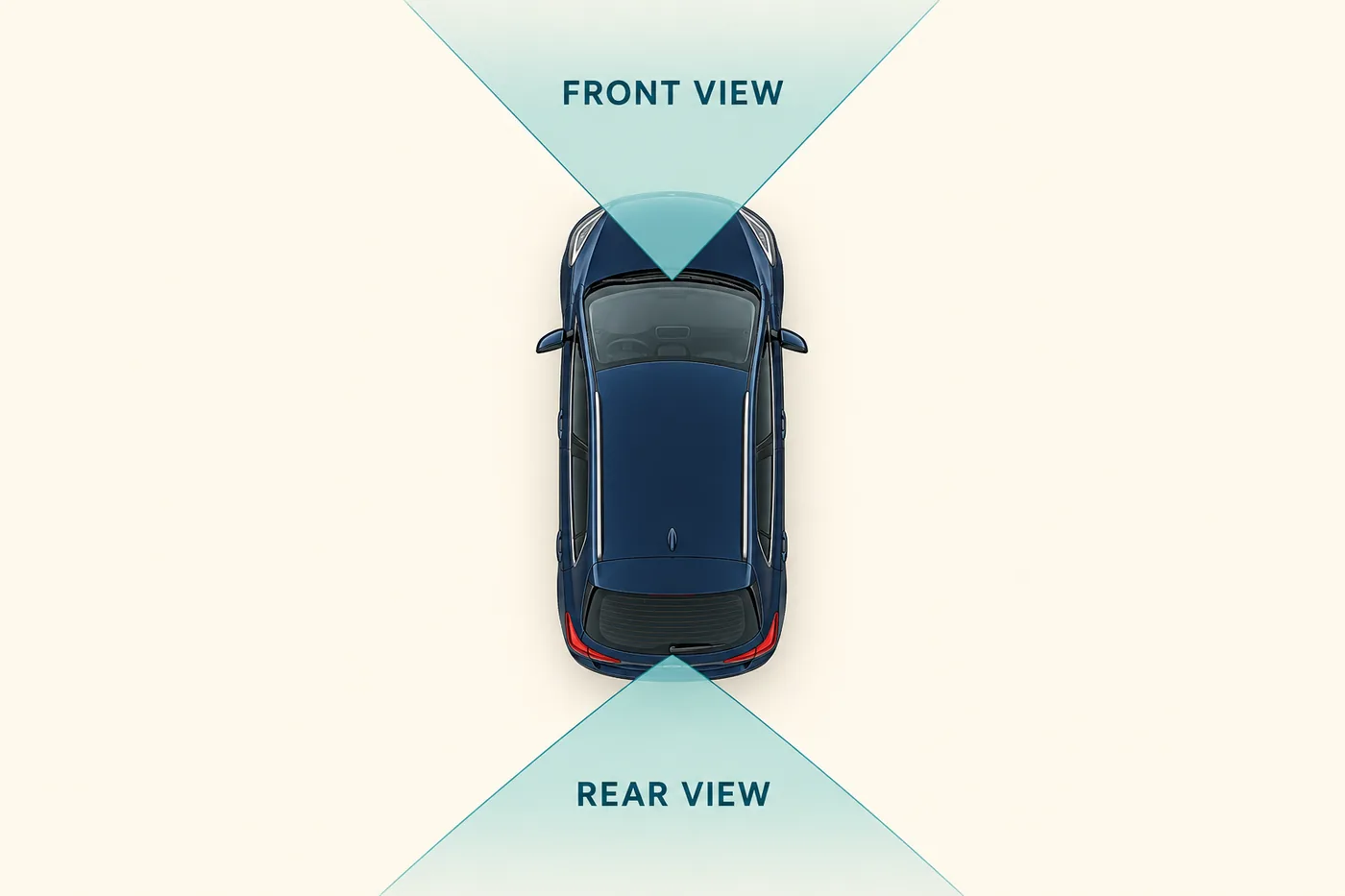
Start with one sentence: “I want a record of the road ahead”, “I also want evidence of traffic behind”, or “I need to record what happens in a working vehicle”. Those are different requirements. An inward-facing cabin camera is not the same as a rear-window camera.
| Arrangement | What to compare | Main limitation |
|---|---|---|
| Front camera | Road-ahead footage, discreet mounting, clear recording status and easy file export | Does not provide a dedicated view of an approaching vehicle behind |
| Front and rear cameras | Separate rear footage, compatibility, rear-glass visibility and installed cable requirements | Two views still leave areas outside the cameras’ coverage |
| Front and cabin cameras | Whether recording passengers is necessary, low-light cabin footage and privacy controls | A cabin view is not automatically useful rear-road footage |
| Parking-capable system | Trigger type, recording before an event, power source, duration and access to saved clips | “Parking mode” alone does not specify what is recorded or for how long |
Check the exact accessories list. For example, Nextbase distinguishes rear-window, rear-view and cabin modules, with model-specific compatibility. A similarly named accessory is not necessarily interchangeable. Ask for the front and rear recording specifications when both are connected.
What makes a useful recording?
Compare real clips, not just resolution
Ask to see original sample files from the exact model and recording mode, including night driving, headlights and moving traffic. Compare front and rear files separately on a proper screen. Can you follow the sequence of events and distinguish the details that matter? A short, compressed social-media clip is a poor basis for that judgement.
Resolution, frame rate and HDR are different settings. HDR can help with difficult lighting; some cameras offer different combinations of resolution and frame rate. Garmin’s video-setting explanation shows why the selected mode matters. Treat “4K” as a specification to investigate, not a promise that every plate will be readable.
Check how you will get the files out
Before purchasing, find the instructions for copying an original recording to your own phone or computer. Check app compatibility, whether an account is needed, what still works without a subscription, and whether front and rear clips are exported separately. Local Wi-Fi file transfer and remote access while you are away from the car are different functions.
Include the correct memory card, rear module, fitting, parking-power accessory and any service you actually need in the comparison. Write down the full first-year cost for each shortlist option. Avoid paying for a feature whose purpose you cannot explain in one sentence.
Memory cards, loop recording and lost footage
A loop-recording camera replaces older ordinary footage as its available storage fills. A protected event file may be handled differently. Nextbase explains this distinction and warns that formatting removes even protected recordings. Protection on the card is therefore not a separate backup.
Buy a card meeting the exact camera’s stated type, capacity and speed requirements; check the manufacturer’s recommended options. A larger card is not useful if the camera does not support it. Recording time also depends on settings and the number of cameras: do not transfer another model’s advertised “hours” to yours.
Check a sample recording periodically, including the rear file. Follow your camera’s maintenance instructions and copy anything needed before formatting. Intervals differ: the X310 manual specifies at least every six months, whereas Nextbase gives different guidance. Repeated card errors need attention; a powered display is not proof that usable video is being saved.
Fitting: preserve your view before finding the camera’s view
Assess the proposed position from the driver’s normal seated position, with the mirror and seat adjusted. Check that the device, mount and cables leave the road and traffic visible. Then check the camera’s image for obstructions. A position that works in another car is not automatic approval for yours.
The DVSA MOT manual used in Great Britain assesses obstructions affecting the driver’s view. Its measurements for windscreen damage are not a universal dash-cam mounting template. Passing an MOT does not settle whether a particular installation is sensible for every driver.
Keep equipment clear of operating controls and airbag deployment areas. Garmin’s installation warnings expressly address these hazards. Use a competent installer for concealed cables and hardwiring; do not improvise a route through airbag trim. Ask the installer to check the vehicle instructions and demonstrate a secure installation with no loose lead near the driver’s feet.
Set up and review the camera while safely parked. Highway Code rules 149 and 150 address handheld devices, distraction and control; Northern Ireland’s guidance also prohibits handheld phone use while driving. A traffic-light stop is not the place to open the app and download a clip.
Parking mode: establish what supplies the power
Ask four questions: what wakes the camera, does it save footage before the trigger, how long can it operate, and what stops it drawing power? Get answers for the specific camera and accessory combination.
Do not assume every model needs the same supply. The Garmin X310’s settings, for example, distinguish battery operation from pre-incident recording, which needs external power. That is a model-specific example, not an assurance of overnight recording from a small internal battery.
Hardwiring requires a suitable power arrangement and proper installation. Garmin recommends an experienced electrical installer. Ask about vehicle compatibility, warranty conditions, timed shut-off and low-voltage protection. Its Constant Power Cable documentation illustrates both duration settings and a battery-protection cut-off.
A cut-off is a limit, not unlimited surveillance. For a car left unused for days, ask the installer what recording duration is realistic for that vehicle and battery condition. Do not choose a generic voltage threshold from an online checklist.
Privacy: personal journeys and business use differ
GoSafe’s Operation Snap guidance distinguishes a purely personal or household activity, with no professional or commercial connection, from work use. Do not assume “my own car” settles the question if you use it for deliveries, carrying customers or monitoring employees.
For business cameras, the ICO’s dashcam guidance requires justification, a lawful basis, information for those recorded and responsible handling of footage. Check whether a data-protection fee applies. A sign should direct people to the privacy information; it is not a substitute for deciding why you need the recording.
The ICO says business audio recording should be off by default and used only with strong justification in exceptional circumstances. It also addresses switching business cameras off for non-working journeys. Cabin audio deserves a deliberate decision for private use too: our practical recommendation is to leave it off unless you have a clear reason, and tell passengers what is being recorded. This recommendation is not a claim that every private driver faces identical business obligations.
Keep access to clips controlled. Publishing identifiable people online is a separate decision from retaining evidence for an incident. Check the relevant country’s rules before taking a recording camera abroad; this UK guide is not permission to use it everywhere.
Your handover and first-journey checklist
- View: inspect the mount and leads from the driving seat; review both camera views while parked.
- Recording: confirm the card is accepted, identify the normal recording indicator and learn what an error looks or sounds like.
- Time: check date, time and time-zone settings, particularly after a reset or clock change.
- Recovery: save a harmless test clip, export it and play the original file on a second device.
- Power: confirm what happens when the vehicle is switched off and how parking recording ends.
- Privacy: review cabin and microphone settings, account access and any business notices.
Add the quick recording-status check to your pre-drive routine. Do the longer playback and maintenance checks while parked, not as another task competing with driving.
After an incident: preserve the recording
Deal with immediate safety and reporting needs first. Once safely parked, preserve the relevant recording before the loop replaces it. Follow the manual’s save procedure, keep surrounding clips that show the context, and copy the original files to secure storage. Check that the copies open; do not rely on a screenshot or a messaging-app version.
For reporting another driver’s alleged offence, use the police force responsible for the location and its current submission instructions. Humberside’s published process, for example, asks witnesses to preserve original footage, explain incorrect timestamps and avoid putting evidence on social media. It also warns that your own driving will be reviewed and a statement or court attendance may be needed.
Submit promptly; do not treat a deadline quoted for one force as a UK-wide rule. Keep the original recording and card as instructed by the police or insurer. Formatting or editing the only copy can destroy material they need. A recording supports their assessment; it does not guarantee a prosecution or a particular insurance decision.
Questions to resolve before paying
Will a dash cam reduce my insurance premium?
Ask your insurer about the exact model and installation before counting any saving. Check whether any offer comes with conditions about keeping the camera operational or providing footage. Compare the complete premium and cover, using our car insurance cost checklist; do not buy on an assumed discount.
Can I just buy a rear camera later?
Only if the front unit supports the exact accessory or recording arrangement you intend. Confirm availability, cable requirements and recording modes now. A cabin-facing add-on and a camera at the rear window solve different problems.
Can parking recording replace a tracker?
They perform different jobs. A camera records what falls within its view while operating; recovery and tracking services have their own hardware and service requirements. If theft recovery is your priority, compare those requirements in our S5 and S7 car tracker guide.
Sources checked: 1 November 2026. Manufacturer examples explain features, not product rankings. ICO guidance carries an update notice; business users should check the linked guidance for changes.